Getting started
You are ready to trade Conditionals on Butter. This page walks you through the basic steps from funding your wallet to placing and settling your first trade.
You can access the butter app at app.butter.markets.
Log in
Click Join Waitlist, then press connect wallet, enter your email address and click "Sign & Submit". Once you receive an email notifying that you've been whitelisted, press Connect Wallet using the same address as before, in the top-right of the app, to get started.
When you connect an EVM wallet, Butter creates a Butter wallet that is derived from your connected wallet. This Butter wallet is what holds your conditional USDC balances and positions on Unichain.
Deposit collateral
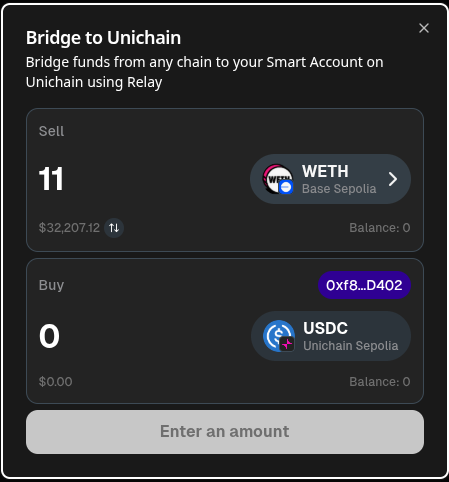
Click Deposit in the top-right of the app to bridge USDC from any other chain into your Butter wallet on Unichain.
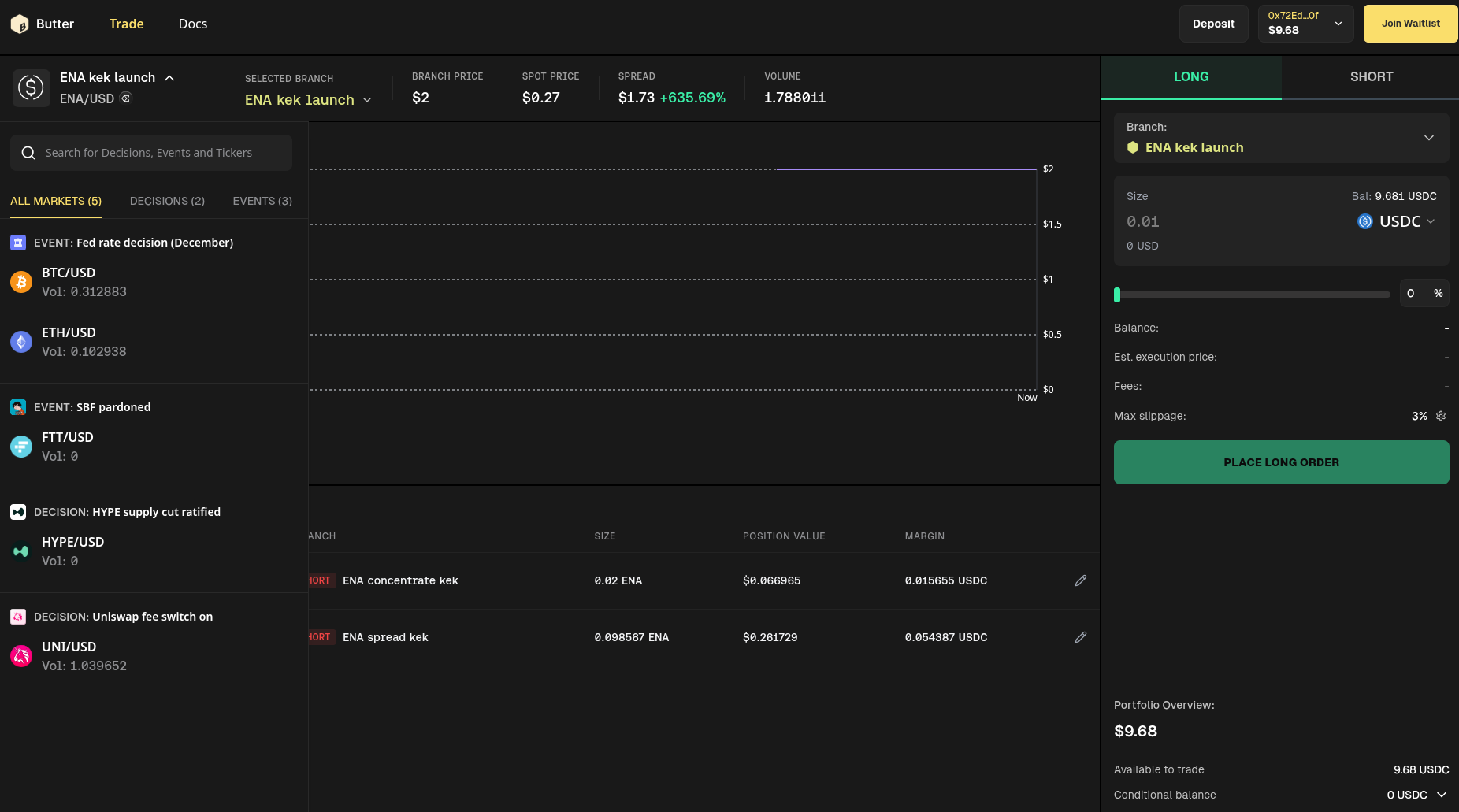
Once you have deposited, your available balance updates in the Portfolio overview panel on the bottom right of the trading screen.
Choose where to trade
Butter lets you trade and hedge the future price of assets such as BTCUSD or ETHUSD conditional on event outcomes like a Fed rate decision or an earnings release. You can use these markets to express a directional view on how the event will move the asset’s price, to offset existing exposure by taking the opposite side in a given branch, or to gain exposure only in branches where you are comfortable holding the asset.
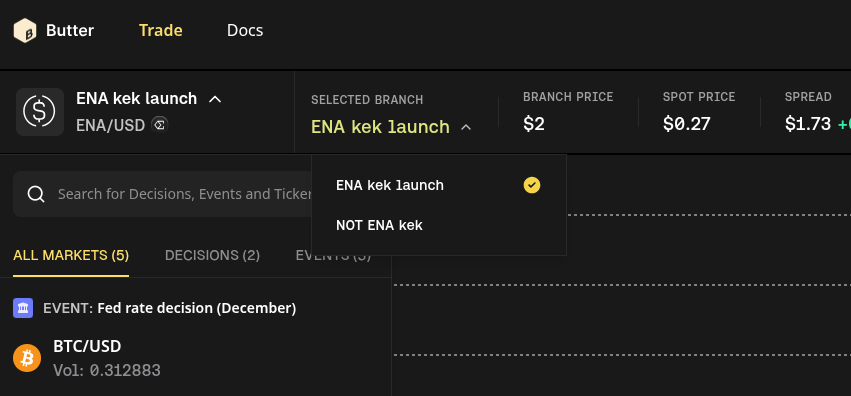
Use the market selector in the top-left of the trading screen to choose what to trade:
First select an event, such as Fed rate decision (December).
Then select an asset, such as BTC/USD.
Finally, choose the branch you want to trade, for example Hike ≥25 bps, No change (<25 bps), or Cut ≥25 bps.


The chart and branch price reflect the market’s forecast for the asset's price conditional on that outcome occurring, so you can see how the market prices the asset under each branch relative to your hedging or trading goals.
Evaluate the forecast
On the trading screen you can see:
The current branch price, which reflects the market’s view of the asset’s future price if that branch’s outcome occurs.
The spot price of the asset today.
The spread, which shows how different the branch price is from spot for that branch.
Compare these to your own view of how the event will affect the asset’s price and how that lines up with your portfolio. For example, if BTCUSD|Hike ≥25 bps trades at 60,000 USD and BTCUSD|Cut ≥25 bps trades at 70,000 USD, ask whether those levels align with your expectations for BTC under each outcome.
If you already hold BTC and want to reduce downside risk under a hike, you can short BTCUSD|Hike ≥25 bps to offset part of your spot exposure in that branch. If you want exposure to BTC only if the Fed cuts, you can go long in BTCUSD|Cut ≥25 bps and avoid taking positions in branches where you see too much downside or uncertainty.
Go long or short in a branch
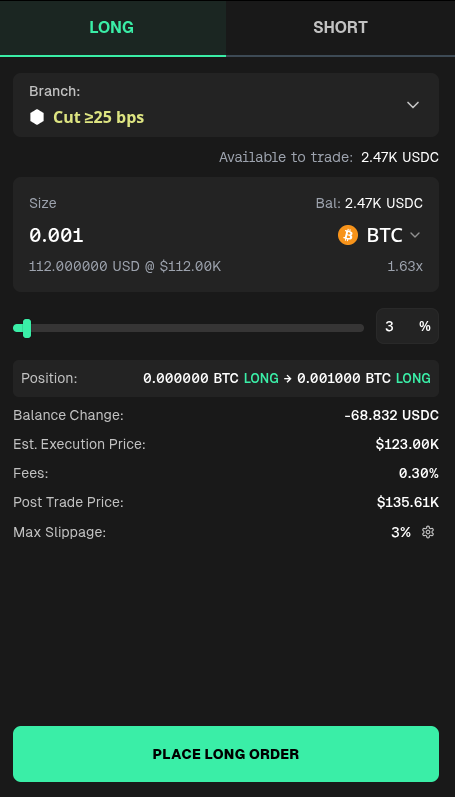
Use the trade panel on the right side of the screen to open a position in a branch.

Select whether you want to be LONG or SHORT in the selected branch, then enter the amount of USDC or qty of the asset you want to trade.
The trade panel shows your estimated execution price, fees, and balance change before you submit the order.
Click Place long order or Place short order to confirm the trade in your wallet and open the position.
Once the trade is confirmed, your new position appears in the Positions section at the bottom of the trading screen, showing your size, position value, and your position's collateral in that branch. You will also have been credited with conditional USDC in the other branches for the same event.
Manage your positions
You can view and manage all of your open positions in the Positions table at the bottom of the trading screen.

From here you can:
Track your size, position value, and collateral in each branch.
See which event and branch each position belongs to, such as Fed rate decision (December) – Hike ≥25 bps.
If you want to adjust your exposure, either use the position's "edit" button, or make a new trade in the same branch or in other branches for the same event.
Exit and settle
Conditional markets stay open for trading until the underlying event occurs or the market reaches its expiry date.
After the event happens, Butter settles the conditional:
The oracle reports which outcome occurred and the settlement price for the realized branch.
Positions in the realized branch can be redeemed for USDC at the settlement price.
Positions in unrealized branches expire worthless, but your original collateral is still preserved because you receive conditional USDC in all branches when you opened your position.
Intuitively, this means that if you traded in a branch that does not end up being realized, you do not lose your stake just because that branch did not resolve. The value shifts to the realized branch, and you can redeem your long or short tokens in that branch for USDC from your Butter wallet.
Once settlement has completed, you can redeem your positions in the realized branch for USDC and withdraw USDC from your Butter wallet back to your connected wallet whenever you are ready.
Last updated